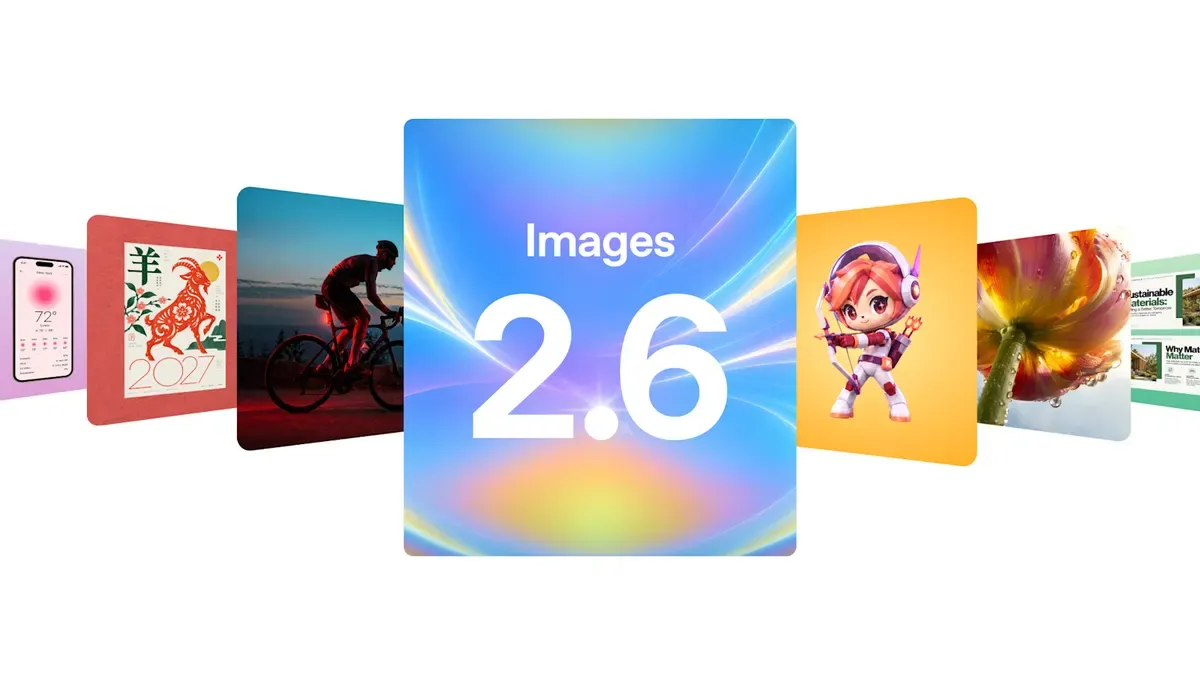
On November 4, 2026, OpenAI released Images 2.6. ChatGPT, the coding tool Codex, and the developer API all updated at the same time. The new API models are GPT-Image-2.6 Sunburst and GPT-Image-2.6 Flare.
The focus is speed and edits that stay closer to the original. ChatGPT also gets two new features: GIFs and reference images.
Faster: Generation 50% Quicker
OpenAI says 2.6 generates images 50% faster than before. Complex images can still take a few minutes.
More Consistent Details When You Edit
The worst part of editing an image over and over is that fixing one spot changes other spots too. OpenAI says 2.6 does a better job of keeping character, product, and brand details consistent during edits. For example, when you change a background, it is better at keeping the clothes on a character.
GIFs: Make Images Move
ChatGPT is rolling out animated GIFs now. There are two ways to use them:
- Ask it directly for a looping animation
- Upload a sketch and ask it to make a character wave
OpenAI’s examples are animating a brand mascot and turning a product photo into an eye-catching loop.
Open a finished GIF to change the playback speed, save it to your device, or share it. To change the animation, describe the change in the chat. ChatGPT cannot edit a GIF that you upload yourself.
Reference Images: No More Re-Uploading the Same Dog
In 2.6, you can save a photo as a reference image and give it a name. In any other chat, type “@name” to bring it back without uploading it again.
OpenAI’s example saves a dog photo as Pepper, then asks, “Draw a watercolor portrait of @Pepper.” This saves the most effort when you keep drawing the same pet or the same character.
Before you use it, turn on memory in settings. Reference images cannot be saved in a temporary chat.
Other Improvements
- Markup on images: You can mark the spots you want changed right on the image. The API supports this now too.
- Reasoning effort: In ChatGPT’s model menu, you can adjust the reasoning effort to control the speed of generating and editing images.
- More accurate response to sketches and annotations: OpenAI says the new model follows your sketches and on-image annotations more closely.
Who Can Use It?
OpenAI says 2.6 is available on all ChatGPT subscription plans, on desktop, the mobile app, and the web. Taiwan is among the supported regions. On Enterprise and Edu workspaces, access depends on what the admin allows.
How many images you can make depends on your plan. After reaching your limit, retry at the time ChatGPT displays. If no time appears, retry later. For plan differences, see the ChatGPT free plan guide.
API: Sunburst and Flare
If you do not use the API, you can skip this section.
| Model | ID | Best for |
|---|---|---|
| Sunburst | gpt-image-2.6-sunburst | Detailed images and edits. At medium or high quality, edits stay more consistent |
| Flare | gpt-image-2.6-flare | Quick back-and-forth changes. At low quality it is fastest, about 6 seconds per image, and poster and product layouts are better too |
Both models have the same standard rates (per million tokens, in US dollars):
| Item | Rate |
|---|---|
| Text input | $5 |
| Cached text input | $1.25 |
| Image input | $8 |
| Cached image input | $2 |
| Image output | $30 |
Images are billed by token, so there is no fixed price per image. The cost calculator in the OpenAI image generation guide can give you an estimate.
Before you switch, check these points:
- Image API only: The 2.6 model pages list only two endpoints, generations (
v1/images/generations) and edits (v1/images/edits). The Responses API and Chat Completions are not supported. - GIF output: Set
output_format: "gif".frame_countcan be 2 to 16 frames (default 9), andframe_duration_mscan be 20 to 2,000 milliseconds per frame (default 200). - SVG output: Set
output_format: "svg". It works only on the generations endpoint. - complexity parameter: You can set
low,medium, orhigh. It defaults tohighwhen you do not set it, and adjusting it costs nothing extra. - Size: Width and height must both be multiples of 16, the aspect ratio must be between 1:3 and 3:1, and each side can be at most 3,840 px.
When Older Image Models Retire
If you use OpenAI’s image API, this section matters most. OpenAI has announced that these models are being retired, and recommends moving to GPT-Image-2.6 Sunburst or Flare:
| Model | Retirement date |
|---|---|
gpt-image-1-mini | December 1, 2026 |
gpt-image-1.5 | December 1, 2026 |
chatgpt-image-latest | December 1, 2026 |
gpt-image-2 | February 10, 2027 |
The GPT-Image-2.5 Sunburst and Flare models are still on the model list, and they do not appear in the deprecation notice.
Safety and Provenance Labels
2.6 keeps the safety measures from 2.5 and adds protections for GIFs. Generated images carry C2PA metadata that records where they came from, plus Google DeepMind’s SynthID invisible watermark. For supported files, OpenAI’s public verification tool can check provenance signals.
Penchan’s summary
2.6 is not a major update, but its two new features are useful. GIFs give posts and slide decks more motion material, and reference images save you from re-uploading photos every time, which makes drawing the same pet or the same character much easier.
Everyday users can use 2.6 in ChatGPT. If you want reference images, turn on memory first. Developers still on gpt-image-1.5, gpt-image-1-mini, or chatgpt-image-latest need to move to 2.6 before December 1. To learn how to write image prompts, see these ChatGPT image prompt examples.
Further Reading
- ChatGPT complete guide
- What’s new in ChatGPT Images 2.5
- Compare ChatGPT and Gemini image generation
- ChatGPT image prompt examples
Cover image: OpenAI
This article provides consumer information about AI image generation API charges and ChatGPT plans. It does not offer securities or investment advice. The information is current as of November 28, 2026.