There are a lot of AI image generators out there, but Midjourney keeps coming up in creative circles. The reason is fairly simple: its image quality and artistic feel are consistently at the top of the category. When you need something that looks like a person actually sat down and made it, the gap between Midjourney and everything else is noticeable.
The downsides are equally clear: no free trial, $10/month minimum before you can generate anything, an English-only interface, and genuinely poor support for Chinese text inside images. Whether it is right for you depends on what you care about most.
What Midjourney Is
Midjourney is a text-to-image AI built by Midjourney Inc. (founded by David Holz), which opened its public beta in July 2022. It was known from the start for strong artistic output. The company is expanding into video generation, but the core product is still turning text prompts into static images.
The design philosophy is different from DALL-E or Stable Diffusion. Midjourney is optimized for “you type a prompt, you get something that looks like a piece of art.” That choice gives it an edge on visual style, at the cost of prompt adherence — it tends to produce beautiful things, not necessarily the specific thing you described.
The default model in 2026 is V8.1, released on June 10, 2026. Native 2K resolution, 3–5x faster than the previous generation, roughly 25% cheaper to run, and noticeably better human anatomy. For anime and Japanese illustration styles, there is a dedicated Niji V7 model you can switch to.
How to Get Started
The Main Interface: Web App
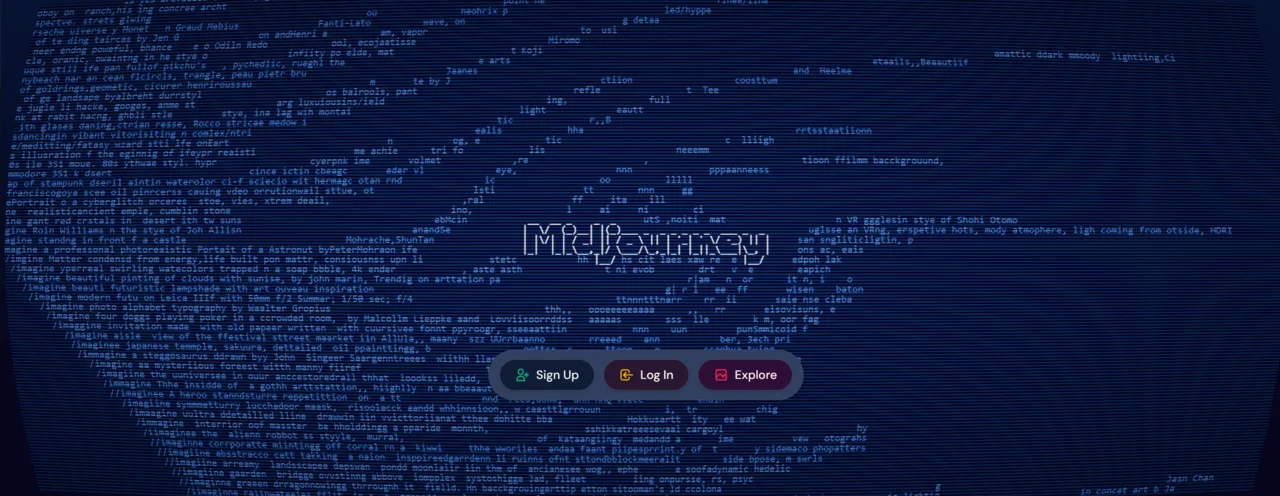
You do not need Discord in 2026. Open midjourney.com in your browser.
Steps:
- Go to midjourney.com and click “Sign In” in the top right
- Log in with a Google account or Discord account (no email-only option)
- Pick a plan and subscribe — you must subscribe before generating images; there is no free trial
- After signing in, head to the Create tab
- Type your prompt in the input field at the bottom and press Enter
- Wait for Midjourney to generate four preview images
- Click U1–U4 to upscale or V1–V4 to create variations; download whichever you like
The whole workflow runs in the browser. No downloads required. Taiwan can connect directly; payment takes an international credit card.
Discord Still Works
If you prefer Discord, or want to browse images others have generated, the Discord route is still valid. Join the Midjourney Discord server and use the /imagine command followed by your prompt. Your Discord and web app accounts share the same balance and settings, so switching between them is seamless.
Pricing
The key thing to understand upfront: Midjourney sells GPU hours (Fast hours), not images. Each image consumes a different amount of time depending on resolution and parameters. Unused Fast hours do not carry over to the next month.
| Plan | Monthly | Annual (20% off) | Fast hours/month | Relax mode | Stealth mode | Concurrent jobs |
|---|---|---|---|---|---|---|
| Basic | US$10 | US$8 | 3.3h | No | No | 3 |
| Standard | US$30 | US$24 | 15h | Yes | No | 3 |
| Pro | US$60 | US$48 | 30h | Yes | Yes | 12 |
| Mega | US$120 | US$96 | 60h | Yes | Yes | 12 |
A few things worth thinking through before choosing:
Relax mode (Standard and above): Relax gives you unlimited slow generation without using your Fast hours. If you are not in a hurry but want to generate in volume, this is Standard’s main draw.
Stealth mode (Pro and above): By default, your generated images show up on Midjourney’s Explore page for anyone to see. Stealth keeps your outputs private. You only need this for commercial work or content you do not want made public.
Commercial license: Every paid plan includes commercial use rights. If your company earns over US$1 million per year, the terms require you to be on Pro or Mega.
Copyright note: The commercial license is included with paid plans, but purely AI-generated images generally cannot be copyrighted under US law — meaning other people can technically use the same outputs you generate. This is not unique to Midjourney; it applies to AI image generation broadly.
Core Features and Parameters
Switching Models
Use --v to switch versions and --niji to switch to the anime model. Without either, you get V8.1 by default.
a serene lake in autumn, photorealistic --v 8.1
anime style character portrait --niji 7
Niji V7 is purpose-built for anime. Character designs and backgrounds come out more consistently in Japanese illustration style than V8.1 would produce.
Common Parameters
| Parameter | What it does | Example |
|---|---|---|
--ar | Aspect ratio (width:height) | --ar 16:9, --ar 4:5 (Instagram portrait) |
--v | Specify model version | --v 8.1 |
--niji | Anime model version | --niji 7 |
--sref | Style reference image URL | --sref https://... |
| Character reference | Keep character appearance consistent across scenes (V7 uses --oref for Omni Reference; parameter names vary by version) | Check official docs for your current model |
--raw | Reduce Midjourney’s automatic “beautification” tendency | Useful when you want realism over polish |
--hd | High-resolution (2K) output | Available on all plans |
--chaos | How different the four images are from each other (0–100) | --chaos 50 (more variety) |
--stylize | Degree of artistic interpretation (0–1000) | Default is 100; higher = more stylized |
Style Consistency: —sref and Character Reference
These two are the most useful tools for generating a series of related images.
--sref (Style Reference): Paste a reference image URL and Midjourney applies that image’s style, color palette, and atmosphere to your new prompt. For brand visual series, lock one image as your “reference anchor” and include --sref in every subsequent prompt to maintain visual consistency.
Character reference: Keeps a character’s appearance consistent across different scenes — handy for comic panels or story series. Note that the parameter name changes with the model version (V7 uses --oref for Omni Reference). Check docs.midjourney.com for the parameter that matches whatever model you are on.
Post-Processing Tools
After you get four images, several editing options are available:
- Vary: Make subtle or more significant variations from the original
- Zoom Out / Pan: Extend the canvas outward, filling in areas outside the original frame
- Inpainting: Repaint a selected region only, leaving the rest untouched
- Video: Convert a static image into a short animation; SD or HD output (HD requires Standard or above)
Personal Style remembers your preferred aesthetic over time. Moodboards let you collect reference images and build a visual system for a series.
Using Chinese Prompts
Chinese Works, English Is More Precise
Midjourney can accept Chinese prompts and broadly understands what you mean. In practice though, there are real gaps:
Incomplete concept mapping: Chinese words sometimes get mapped to slightly off English concepts internally, particularly for culturally specific terms. Something like “水墨” (ink wash painting), “仙境” (ethereal realm), or “懸崖上的城鎮” (cliff-side town) often translates more precisely if you write the description in English directly.
Technical parameters: All parameters (--ar, --v, --sref, etc.) are always in English regardless of what language your prompt is in.
The most common approach in practice: describe the subject and mood in Chinese or mixed Chinese-English, keep all parameters in English.
寧靜的秋日湖面,有霧,早晨的光線 --ar 16:9 --rawThat format usually works fine. If the result does not match what you had in mind, translating the main description to English often fixes it.
Chinese Text Inside Images: Midjourney’s Real Weak Spot
This is the one to know before you commit to a workflow.
AI image generators are broadly bad at rendering readable text inside images. Midjourney is no exception. Recent versions have improved English text enough that short words are often legible, but CJK characters (Chinese, Japanese, Korean) come out as shapes that look vaguely like characters without actually being readable.
The fix: do not ask Midjourney to include Chinese text in the image. Generate the image without any text, then add the Chinese characters afterward in Canva or Photoshop. This approach is actually more controllable — you choose the typeface, size, and layout precisely, rather than hoping Midjourney gets it right.
How It Compares to Other Tools
| Midjourney | Nano Banana | DALL-E / GPT Image | Stable Diffusion | |
|---|---|---|---|---|
| Artistic quality | Top tier | Good | Good | Varies by model |
| Free trial | None | Yes | Free credits available | Completely free (local) |
| Chinese text in images | Weak | Better | Better | Depends on model |
| Prompt adherence | Loose | Medium | Stricter | Depends on settings |
| Style consistency (series) | --sref / character reference — very strong | Medium | Medium | Requires extra tooling |
| Learning curve | Low | Low | Low | High (local setup) |
| Interface language | English | Chinese-friendly | Chinese-friendly | English (mostly) |
A few scenario-based picks:
Strongest artistic output: Midjourney, especially for illustration series, atmospheric scenes, and brand visuals. --sref for stylistically consistent series is one of its standout features.
Need Chinese text inside the image: Generate with any tool, then overlay text in Canva. Do not try to get Midjourney to produce readable Chinese characters directly.
Budget-conscious, or want to try before subscribing: DALL-E (included with ChatGPT Plus) or Nano Banana both have free options. Midjourney does not.
Want full control and do not mind a learning curve: Stable Diffusion running locally is free and highly configurable, but takes time to set up.
Conversational editing (refine through chat): Nano Banana’s chat-based interface is more intuitive for that workflow. Midjourney’s iteration model is parameter-based and Vary-based, not conversational.
Honest Assessment
Midjourney’s position is well-defined: if you know what style you want, are willing to spend time on parameters, and need genuinely strong artistic output, it is the best option right now. V8.1 made that case even stronger.
That said, the reasons not to choose it are worth naming.
No free trial is a real barrier. You cannot try before you pay — it is $10 upfront, no exceptions. If you are not sure whether you can write prompts that work for you, or you only need to generate a few images occasionally, that commitment feels steeper. For the same $10, ChatGPT Plus at $20/month includes DALL-E credits, stricter prompt adherence, and more reliable English text rendering.
Loose prompt adherence shows up in actual use. You want “an orange cat sitting on a desk” and you get “an orange cat in an environment with desk-like qualities, perhaps sitting, perhaps mid-stride.” Still beautiful, just not necessarily the composition you specified. --raw helps somewhat but does not solve it.
If your budget allows it and you care about artistic quality and series consistency, Standard at $30/month with Relax mode is where it makes sense long-term. If you generate images occasionally and care mainly about getting exactly what you asked for, other options are likely a better fit.
Version updates move fast — treat docs.midjourney.com as your source of truth. V9 rumors are already circulating in the community and video features keep expanding. The underlying judgment here will hold, but specific specs are worth checking directly.
Further Reading
— Penchan