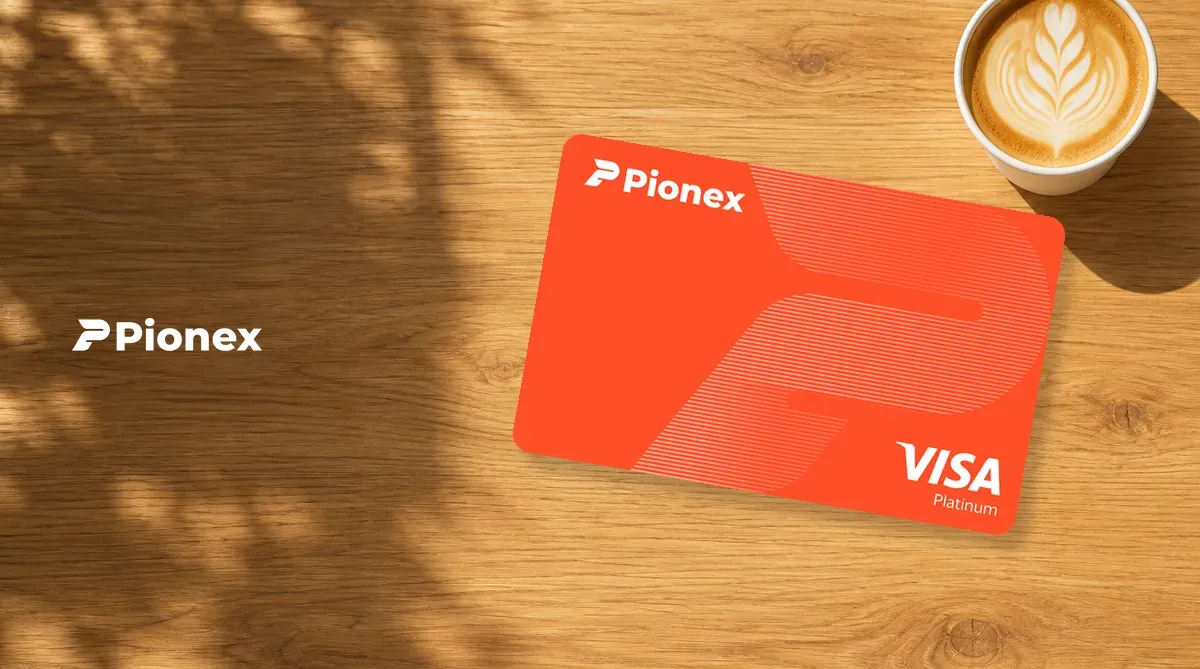
The Pionex Card is a cryptocurrency debit card issued by Pionex. Transfer USDT to its card account before spending. It can be added to Apple Pay, Google Pay and LINE Pay. Compare it with other cards in the crypto card comparison. Fees and risks are covered in What to know before applying.
What is the Pionex Card? Company background
According to Pionex’s help center (October 2026), the platform says it was founded seven years ago, has monthly trading volume of more than $60 billion and more than five million registered users, and began with built-in trading bots. Its terms of service, effective July 9, 2024, name Marketa Trading Inc. as the operator.
For security, Pionex published a Merkle tree after the FTX event on November 15, 2022. Two third-party audit firms completed reports on January 19, 2023, covering BTC, ETH, US dollars and USD stablecoins; the reports concluded that reserves exceeded 100%. This is a snapshot from 2023, not a statement of current reserves.
People searching for a “Pionex credit card” usually mean this card. It is a debit card, not a credit card: it spends USDT in the card account and has no overdraft facility.
The card account is custodial. Its balance is recorded on Pionex’s internal ledger and has no on-chain address; transfer funds back to the main account before withdrawing them.
Pionex Card rewards: Visa
Your card network is assigned according to your verified region and account eligibility; you cannot choose it yourself. Mastercard fees and rewards differ, so the table below covers Visa benefits.
| Item | Visa |
|---|---|
| Virtual card fee | Free |
| Annual fee | 0 |
| Transaction fee | 1% (also charged on USD purchases) |
| Rewards | 1% in USDT, uncapped, credited instantly; promotional subsidy |
| Annual yield on card balance | 5%, credited hourly; funds remain spendable; rate can change |
| Per-transaction / daily / monthly limit | 10,000 / 10,000 / 50,000 USDT |
| Apple Pay | Add with one tap |
| Google Pay | Add manually |
| Alipay, WeChat Pay, PayPal | Can be linked |
| ATM withdrawals | Not available with a virtual card |
| Family cards | Up to 2 virtual cards |
Visa’s 1% reward is a promotional subsidy, and users will be notified if it changes. ATM withdrawals and payments at UK eToro (6211), Ireland TikTok (5817 / 5945) and UK Wise (4829) do not earn rewards.
Merchant category, country restrictions, refunds and promotion terms may reduce or remove rewards. The 5% annual yield is a current product term, and the rate can change.
For a full comparison, see Pionex Card review and comparison.
Pionex Card fees
- Card issuance and annual fees: Virtual card is free, with no annual or inactivity fee.
- Top-ups: USDT only. Internal transfers from the main account to the card account are free. Reward balances cannot be transferred in.
- Transaction fee: 1% per Visa transaction, including USD purchases; there is no separate foreign-currency fee.
- Authorization hold: The card temporarily holds the purchase amount plus 1% and other fees. Pionex recommends keeping 3% to 5% extra in the card balance.
- Small payments: For a payment of US$1 or less, the first one each month is free; each additional one costs 0.2 USDT.
- Failed payments: 0.5 USDT each. Authorization timeouts and system maintenance failures are free; the first failed payment at each unsupported merchant and the first other failed payment each month are also free. Freezing the card does not stop a merchant from retrying a charge.
- Refunds: The fee is returned only if the order status is “Payment Reversed.”
- Disputes: 50 USDT per dispute regardless of outcome. If you lose Visa arbitration, an additional 600 USDT is charged. Keep at least 650 USDT in your main account as a deposit before filing.
See Pionex Card fees in detail for the complete fee list.
What to know before applying
- A card left unused for a long time may be closed by the platform: some cards were closed without notice in August and September 2026. A closed card cannot be restored, and that account can never apply for any Pionex card again, even through another account. A balance does not necessarily count as activity, and adding the card to a mobile wallet does not count as use.
- If failed-payment fees leave the card account with a negative balance, cryptocurrency withdrawals from the entire Pionex account are restricted until you top it up manually.
- At application, account assets must exceed the amount displayed on the application page. This is an eligibility check, not a charge; you can move the assets after approval.
How to apply for a Pionex Card (and enter the invite code)
-
Register through the referral link in this article. Invite code
5MfkCjZWis already included, and the page will show Penchan as the referrer. You do not need to enter it again when applying for the card. The referral link opens the Simplified Chinese registration page.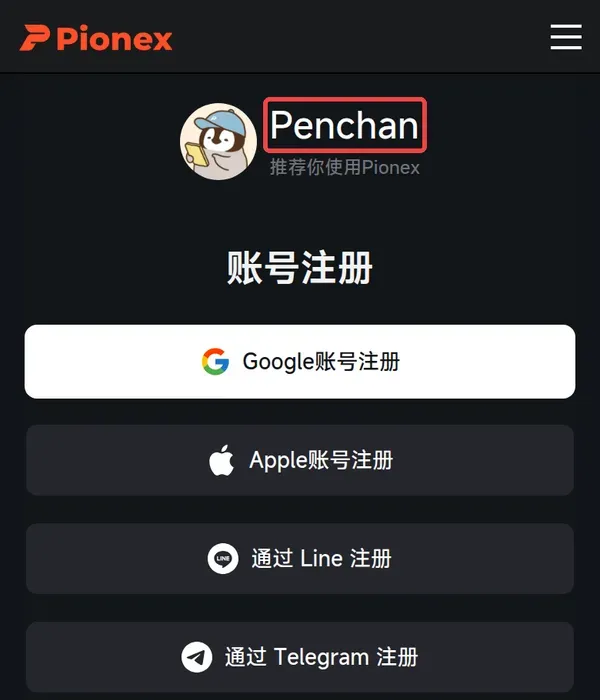
Image source: Pionex official registration page -
If you missed the code, you can add it within 14 days if you have not traded, or within 3 days if you have. Go to Pionex → profile picture → Referral code. It cannot be changed after linking, and you cannot add it after the deadline.
-
Complete KYC Level 2 with one of a passport, national ID card, driver’s license or residence permit, plus a live face check. Standard review takes about 1 hour.
-
In the app, go to “Wallet” > “Pionex Card” > “Apply now.” The system will show which card network is available to you.
-
Enter the cardholder details. The name must be no longer than 25 characters. Visa requires an address; enter
--in a field if you do not have a street number. -
Review and submit. Approval usually takes about 1 hour.
The invite code gives a share of trading-fee rewards, at a rate set by the inviter.