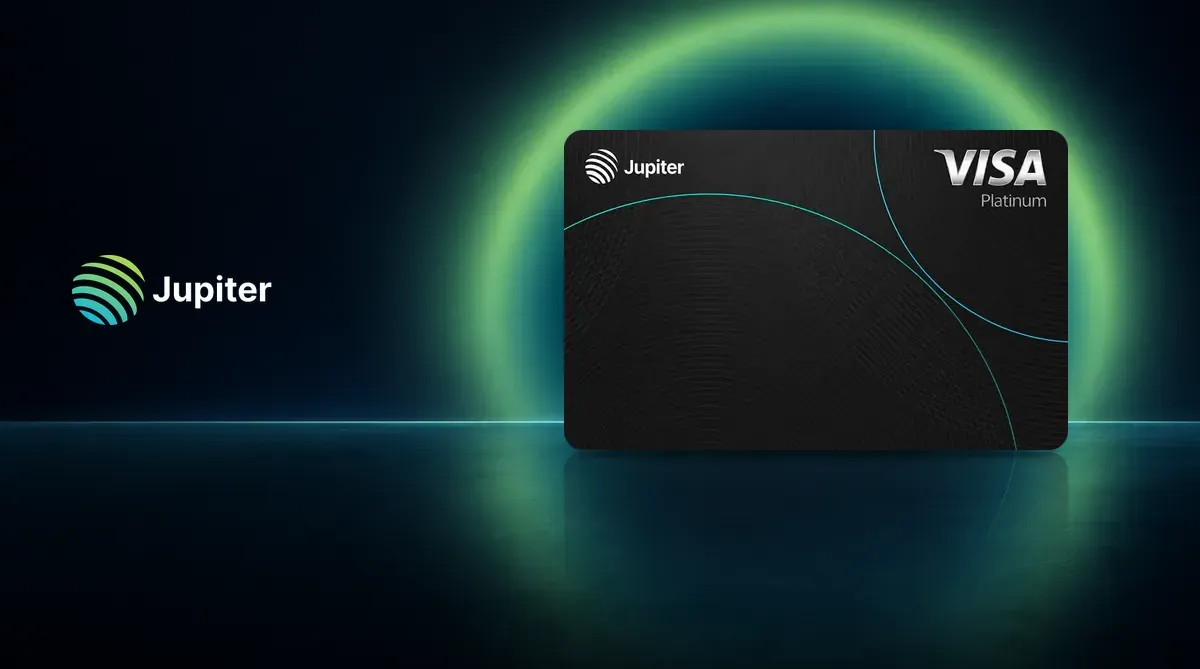
The Jupiter Card is a Visa card in the Solana wallet app Jupiter Mobile. Fund it with USDC or USDT and earn 2% back in USDC on the base tier. The card is offered in 52 countries and regions; check whether your country is supported. Compare it with other cards in the crypto card comparison. Fees and risks are covered in Before You Apply.
What Is Jupiter? Company Background
Jupiter (called 木星卡 in Chinese) is an on-chain finance platform on Solana. The card is in the Spend tab of Jupiter Mobile and is part of Jupiter Global.
In February 2026, Jupiter announced a $35 million strategic investment from ParaFi Capital, structured as a purchase of JUP tokens. The company says it has not raised outside capital since it was founded and has been profitable throughout; those are the company’s own claims.
The card is issued by Rain or DCS, assigned automatically based on your country of residence. Each person is assigned one issuer. Identity verification is handled by SumSub.
The card runs on Visa and uses a prepaid balance: Jupiter does not provide a credit line, so you can spend only what you have deposited. After funds are moved to Spend, the issuing partner manages the balance; Jupiter does not hold it.
Jupiter Card Rewards: Base and Referral Boost
There is one Jupiter Card with two reward tiers. The base tier applies automatically, with no staking or membership fee. The referral boost tier is earned by inviting friends.
| Item | Base | Referral boost |
|---|---|---|
| Requirement | Applies automatically | At least 2 eligible referrals in the previous month; each completes KYC and makes at least $50 in settled eligible purchases within 30 days after KYC approval |
| Reward rate | 2% | 4% |
| Monthly reward cap | $100 | $200 |
| Duration | Ongoing | Next month only; must qualify again each month |
| Reward currency | USDC | USDC |
| Virtual card issuance fee | $0 | $0 |
| Annual fee | $0 | $0 |
| Foreign-currency fee (Taiwan) | 1.8% | 1.8% |
The cap applies to rewards, not spending, and is shared across all cards under the same Global ID. Rewards are credited only after a transaction settles, not when you tap. They first go to your Rewards balance and can be transferred instantly and for free to your card balance, but cannot be withdrawn directly to an external wallet.
ATM withdrawals, P2P and QR payments, refunds, fees, financial services, money transfers, quasi-cash and cryptocurrency purchases, gambling, government payments, and transactions flagged by risk controls do not earn rewards.
See the full Jupiter review and comparison.
Jupiter Card Fees
- Issuance: $0 for a virtual card. A physical card costs $13.13 plus shipping, but is not available in Taiwan.
- Annual fee: $0.
- Foreign-currency fee: Taiwan-issued cards charge 1.8% on non-USD purchases and 0% on USD purchases. Refunds use the exchange rate on the refund date; the original foreign-currency fee is not refunded.
- Funding: no processing fee for USDC or USDT on Solana. Other networks cost at least $0.30 plus network gas. Minimum deposit: $3, or $10 on Ethereum; maximum per deposit: 200,000 USDC.
- Spending limits: $50,000 per day and $990,000 per year.
- ATM: Taiwan-issued DCS cards currently do not support withdrawals.
Before You Apply
- Taiwan-issued DCS cards currently do not support withdrawals. The card balance is for spending; only deposit funds you plan to spend.
- Once funds are in Spend, they are managed by the issuing partner. On August 28, 2026, an issuing partner temporarily paused card-balance withdrawals after a security incident involving another Solana card project. Jupiter said its accounts were unaffected and card purchases continued as usual.
- Before funding, complete the Travel Rule declaration with your legal name, date and place of birth, document type and number, and address. Transfers must come from an address you own.
How to Apply for the Jupiter Card (Where to Enter the Referral Code)
- Download Jupiter Mobile and tap the card icon in the bottom-right corner to open the Spend tab.
- Create a Global ID with email, Google, or Apple (Discord and X sign-in are not currently supported). Enter referral code
YRBX2NJ5when creating the account. - Complete KYC in the Verification Center: document, phone, liveness check, personal details, and a short questionnaire. Proof of address is also required in Asia-Pacific. You must be at least 18. Verification usually takes a few minutes; manual review takes 3 to 5 business days. A verified Global ID cannot be deleted, and its email cannot be changed.
- Order a virtual card.
- Fund it with USDC or USDT. For stablecoin basics, see the stablecoin storage guide.
- Add the card to Apple Wallet or Google Wallet.
The official terms say a new user counts as referred only if they create a Jupiter Global account using a referral code. A new user can earn $20 after making $1,000 in settled eligible purchases within 30 days of card activation. We receive $10 when the referred user spends at least $50 within 30 days after passing KYC. Referral bonuses do not count toward the rewards cap.
Using the Card in Taiwan
Taiwan is on the official supported-countries list, cards there are issued by DCS, and only a virtual card is available. The official physical-card announcement excludes Taiwan.
- Apple Pay and Google Pay: The card page has an Apple Wallet add button, and Taiwan appears on both Apple’s and Google’s supported-country lists. Jupiter charges no additional fee; foreign-currency fees still apply.
- JKOPay: The card cannot be linked because JKOPay accepts credit cards from its Taiwanese partner banks only.
- QR payments: Taiwan-issued cards can scan QR payments in Cambodia, Indonesia, Malaysia, Mongolia, the Philippines, and Vietnam. There is no fee or exchange-rate markup; the limit is $500 per transaction and $5,000 per day. These payments do not earn rewards and cannot be used in Taiwan.
- TWD withdrawals: Not currently supported.
For Taiwan-issued cards, spending in TWD incurs a 1.8% foreign-currency fee; USD purchases have no fee. You can freeze the card instantly in the app, and replacing a virtual card is free.