
Grok started as a chat model, but xAI added image generation in late 2024. Grok Imagine now covers both images and short videos, all inside the same interface where you chat with Grok.
The practical question: what can it actually do, and what does it cost? This article covers both.
What Grok Imagine Is
Grok Imagine is xAI’s built-in AI image and short-video generation feature inside Grok. The underlying model is called Aurora, launched in December 2024.
Aurora takes a different technical path than Stable Diffusion or DALL-E. Instead of a diffusion architecture, it uses autoregressive MoE (Mixture of Experts). That design choice has one notable practical consequence: text rendering inside images. Diffusion models frequently mangle letters and characters in generated images. Aurora handles this significantly better. If you need to generate images with slogans, captions, brand names, or labels baked into the image itself, that difference matters.
Three ways to reach Grok Imagine:
- The Imagine tab on grok.com (browser, most complete)
- The Grok interface inside X app / x.com
- The Grok iOS / Android standalone app
All three require an X account or xAI account to log in.
How to Use Grok Imagine
The steps are straightforward:
- Go to grok.com or open the Grok app and log in
- Confirm you have a paid plan. Free accounts can see the Imagine tab but hit a paywall when they click in (since 2026/3/19)
- Open the Imagine tab
- Type a prompt: subject, action, scene, style, technical details
- Choose an aspect ratio (landscape, portrait, square, etc.)
- Hit Generate. Images take about 3-5 seconds; videos take 17-30 seconds
- Not happy with the result? Hit Regenerate, or type a follow-up in the same conversation to refine it (“make the lighting darker,” “remove the person in the background”)
- Download the output or share directly to X
More specific prompts produce better results. Include the subject’s appearance, what it’s doing, the background, lighting conditions, camera angle, and visual style. Grok remembers previous images and instructions within the conversation, so you can iterate with short follow-up prompts rather than rewriting from scratch every time.
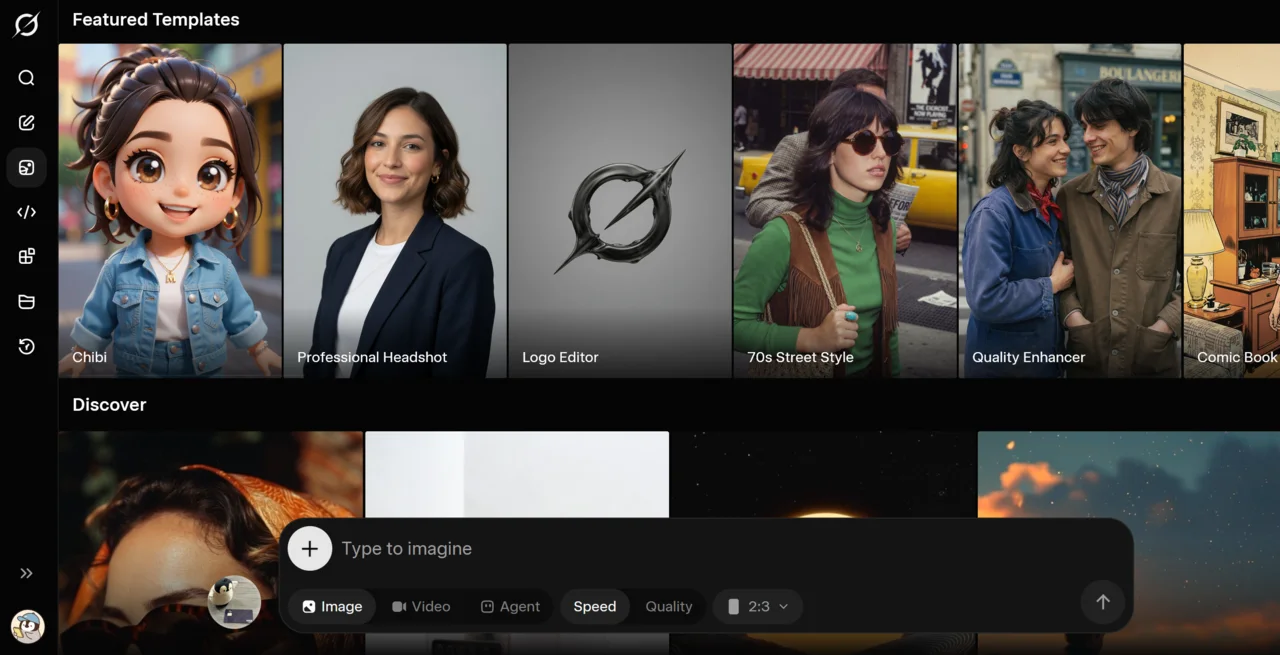
Free Tier No Longer Works
This is worth saying clearly: free accounts cannot use Grok Imagine.
The Imagine tab entry point still appears for free users, but clicking into it triggers a subscription prompt. This change landed on March 19, 2026, and is directly tied to the deepfake controversy from early 2026 (covered below). Any article you find online saying “Grok generates images for free” was written before late March 2026 and is now outdated.
Pricing
You need a paid plan to generate images. xAI’s own plans (prices are regular rates; limited-time discounts appear periodically):
- SuperGrok: ~US$30/mo. The main choice for regular users. Includes video generation.
- SuperGrok Heavy: ~US$300/mo. For high-volume professional use.
X Premium / X Premium+ subscriptions also include Grok access as part of the bundle, though these plans are not designed specifically around image generation. Actual image quotas are not publicly disclosed by xAI and reports vary. Use the numbers shown on grok.com at the time you subscribe.
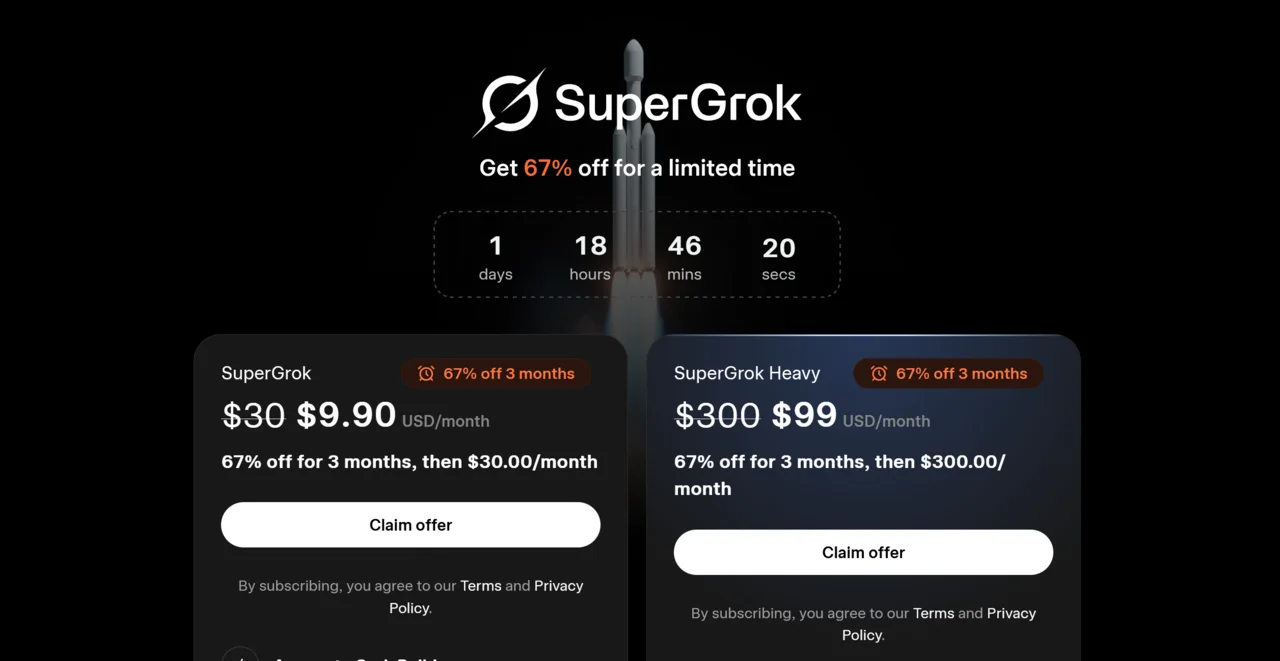
API pricing: standard model is around US$0.02 per image; Pro model is around US$0.07 per image (check official docs for current rates).
What Grok Imagine Can Do
Text-to-Image
Type a prompt, pick an aspect ratio, and get an image in about 3-5 seconds. That speed is competitive among mainstream AI image generators.
Text-in-image rendering is Aurora’s standout capability. Generating a poster with a tagline, a product mockup with a brand name, or an infographic with labels: Aurora handles the text with noticeably higher accuracy than diffusion-based tools. You skip the step of going to Canva afterward to add text manually.
Image Editing and Style Transfer
You can upload a reference image and ask Grok to apply a style or swap specific elements. Upload a product photo and turn it into an ink wash painting, or replace the background with a different setting. The editing depth is shallower than dedicated tools like Photoshop AI, but the conversational workflow makes iteration fast.
Short Video Generation
Enter a prompt in Imagine and it produces a short video:
- Length: roughly 6-15 seconds
- Resolution: 720p at 24fps
- Generation time: about 17-30 seconds
Compared to dedicated video tools like Kling, the length is shorter, resolution lower, and motion coherence weaker. That gap is real and noticeable right now. The main thing Grok’s video feature has going for it is integration with the chat interface: you type a few words in the same window and get a video. The barrier to entry is low. No audio generation is available at this time.
The Deepfake Controversy and Current Content Policy
In late 2025 and early 2026, Grok Imagine drew widespread criticism for being used to generate non-consensual deepfakes, primarily targeting women and public figures. After significant backlash, xAI restricted image generation to paid accounts and tightened content filters on January 9, 2026. Free image generation was fully removed on March 19, 2026.
This sequence shaped what Grok Imagine looks like in 2026: stricter NSFW filtering, a narrower range of content that’s allowed, and a paywall at the entry point.
Grok built an early reputation for permissive generation limits. Third-party guides for bypassing those limits still circulate online. Most of those approaches now violate xAI’s ToS and carry account suspension risk.
The content policy continues to evolve. Check docs.x.ai and x.ai/news for official announcements.
How It Compares
| Grok Imagine (Aurora) | Midjourney | Kling | |
|---|---|---|---|
| Text in images | Strong | Weaker | n/a |
| Artistic style | Average | Strong | n/a |
| Photorealism | Strong | Strong | n/a |
| Image editing depth | Shallow | Medium | n/a |
| Video length | 6-15 sec | n/a | Longer |
| Video quality | Average | n/a | Strong |
| X integration | Native | None | None |
| Entry cost | Paid plan required | Paid required | Paid required |
When each one makes sense:
Pick Grok Imagine if you already use Grok, need accurate text inside your images, or want a single workflow for image generation and posting to X.
Pick a dedicated video tool like Kling if you need videos longer than 15 seconds or if motion coherence matters. Grok’s video feature is still early.
Pick Midjourney if artistic direction control, style consistency, or advanced image editing is the priority.
Conclusion
Aurora’s text rendering inside images is a genuine differentiator. It is not a marketing claim. The architecture makes it better than diffusion-based generators in specific situations: brand graphics, information overlays, social images with text built in. If that is your use case, you get cleaner output without a post-processing step.
Video is “usable but not impressive” at this point. Dedicated video tools like Kling lead by a clear margin. Grok’s short video is useful for quickly testing a visual concept, not for producing finished video content.
Removing free image generation raised the bar significantly. The main reasons to pay are text-in-image accuracy and X integration. If neither of those is a need for you, Midjourney or other options may be more cost-effective. If you are paying, SuperGrok (~US$30/mo) offers better value than X Premium+.
Further Reading
— Penchan