UPay is a cryptocurrency wallet paired with a Visa card. Fund it with BTC, ETH, USDT or USDC and spend with the card. UPay Wallet offers the Premier card in virtual and physical formats, with no annual fee. Fees and risks are outlined below in What to know before applying.
What is the UPay Card? Company background
UPay was founded in 2023, with Owen Yang as founder and CEO. Its website describes it as an asset management platform for digital asset holders, offering payment, investment and wealth management services. In July 2025, UPay split its app into two products: UPay Wallet for individual users, where you can apply for the Premier card, and UP Business, a separate plan for business customers. Their fees are not interchangeable.
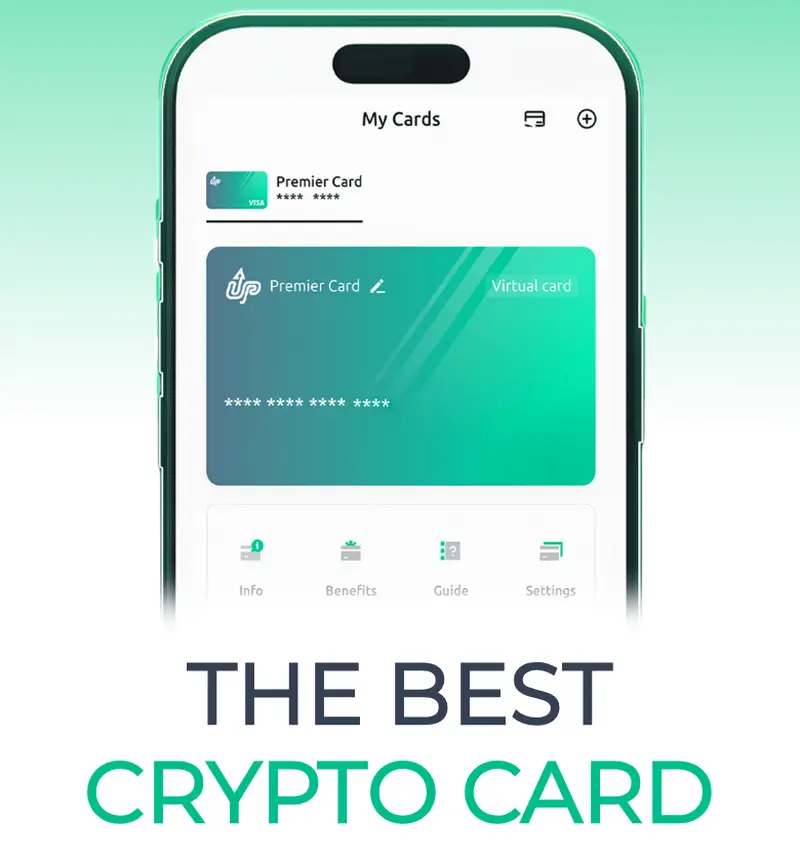
The card runs on the Visa network and is denominated in US dollars. The account is custodial: UPay generates deposit addresses and publishes its hot and cold wallet addresses. You can deposit BTC, ETH, USDT and USDC.
UPay Card fees and features: virtual and physical cards
There are nine VIP tiers, reassessed every 30 days based on UPay Wallet assets or card spending. The table below lists issuance fees, annual fees and limits.
| Item | Virtual card (Premier) | Physical card (Premier) |
|---|---|---|
| Issuance fee | 10 USDT | 100 USDT |
| Annual fee | 0 | 0 |
| Card currency | US dollars | US dollars |
| Foreign transaction fee (not the total cost of a card purchase) | 0% | - |
| Per-transaction spending limit | 100,000 US dollars | - |
| Daily spending limit | 200,000 US dollars | - |
| Google Pay | ✓ | - |
Other fees:
- Chargeback: 30 USDT per case, non-refundable; investigation or arbitration fees may also apply.
- Withdrawals: The fee varies with network congestion.
- Recovery of a transfer sent on the wrong network: 100 USDT; the full amount is refunded if recovery fails.
- Minimum deposit: Each token and network has a minimum deposit threshold. Deposits below the threshold are not credited and are not refunded.
For a full comparison, see UPay review and comparison.
What to know before applying
- UPay is a custodial service. Section 14 of its terms allows it to freeze account funds. Section 10.1 of the card agreement allows it to suspend or terminate a card without prior notice in cases of suspected fraud, unauthorized or illegal activity, breach of contract, or a legal or regulator request.
- From January to April 2024, UPay deactivated its Elite and Eternity cards in succession and discontinued service for its Emerald and Emperor virtual cards.
- From 7 December 2025, deposits flagged for review require proof of identity and source of funds; the funds are returned on their original chain.
- In July 2025, consumer accounts moved to the new UPay Wallet app. The old app is no longer supported, and users can no longer log in.
How to apply for a UPay Card (where to enter the invite code)
You must open the registration page through the referral link for the invite code to count: the web registration form has an optional invite code field, which the link fills in automatically. If you sign up without the link, the invitation will not count and you cannot add the code later. The official referral reward goes only to the referrer; referred users do not receive a standard sign-up reward.
- Open the web registration page through the referral link. The optional invite code field will be filled with
64IQD1(the invitation will not count if you do not sign up through the link, and you cannot add it later). After registering, download the UPay Wallet app (available for iOS and Android). - Complete KYC first. UPay says identity verification is required before applying for a card. Accepted documents include a national ID card, passport, residence permit or driver’s licence, plus a live face verification. The verification provider is Sumsub, which accepts only documents issued by the same country as your identity.
- In the app, tap the Card tab, tap “+”, choose a card, tap Apply Now and follow the on-screen steps. You must provide your full address when applying.
- Virtual cards are usually issued 5 to 10 minutes after approval.
- Deposit BTC, ETH, USDT or USDC.
Using the card in Taiwan
Taiwan was not on the official restricted list updated on 27 September 2026, and Little Penguin confirmed that Taiwan appears in the country list during registration. To compare other cards, see the U card comparison; UPay’s full terms are covered in UPay fees in detail.
The restriction list considers nationality, residence or IP address. It includes mainland China, Hong Kong, Macao, the United States, Canada and other locations. Applicants with Hong Kong nationality, residence or IP addresses are all ineligible.
Payment options:
- Apple Pay: Available only with eligible cards in approved regions. Google Pay is listed in the Premier virtual card fee table.
- JKoPay: Cannot be linked because JKoPay accepts credit cards only from Taiwanese partner banks.
- Alipay and WeChat Pay: UPay says you can try linking the card. Approval depends on Alipay’s risk controls and is not guaranteed; Alipay generally has a higher success rate than WeChat.
- PayPal: UPay provides official linking instructions.
- ChatGPT and Claude: UPay’s guide advises that if you get a Card Declined or Payment Failed error when paying on AI platforms like these, the billing address should match the region of your IP address. For more cards that can be used for AI subscriptions, see Which U card should you use for ChatGPT and Claude subscriptions?.
For similar custodial crypto cards, see the RedotPay Card application guide or the KAST vs RedotPay card comparison.
